| .devcontainer | ||
| assets | ||
| content/en | ||
| layouts | ||
| resources | ||
| .gitignore | ||
| .gitmodules | ||
| config.yaml | ||
| go.mod | ||
| go.sum | ||
| hugo.toml | ||
| otc.conf | ||
| README.md | ||

IPCEICIS-DeveloperFramework Documentation
This repo contains business and architectural design and documentation of the DeveloperFramework subproject of IPCEI-CIS.
How to read and contribute to this documentation locally
The documentation is done in Hugo-format.
The repo contains a Hugo .devcontainer-defintion so that you just have to run locally an IDE which is devcontainer aware, e.g. Visual Studio code.
Installation
To get a locally running documentation editing and presentation environment, follow these steps:
- open a terminal on your local box
- clone this repo:
git clone https://bitbucket.telekom-mms.com/scm/ipceicis/ipceicis-developerframework.git - change to the repo working dir:
cd ipceicis-developerframework - open the repo in an Devcontainer-aware tool/IDE (e.g.
code .) - start the
devcontainer(in VSC it'sF1 + Reopen in Devcontainer) - when the container is up & running just open your browser with
http://localhost:1313/
If you want to run the devcontainer without VS Code, you can use npn to run it inside a docker container:
- install Node.js (>= Version 14), npm and the docker engine
- install the devcontainer cli:
npm install -g @devcontainers/cli - change into the folder of this repo
- start the devcontainer by running:
devcontainer up --workspace-folder . - find out the IP address of the devconatiner by using
docker psanddocker inspect <id of container> - when the container is up & running just open your browser with
http://<DOCKER IP>:1313/
Editing
Documentation language
The documentation is done in Docsy-Theme.
So for editing content just goto the content-folder and edit content arrording to the Docsy documentation
Commiting
After having finished a unit of work commit and push.
Annex
Installation steps illustrated
When you run the above installation, the outputs could typically look like this:
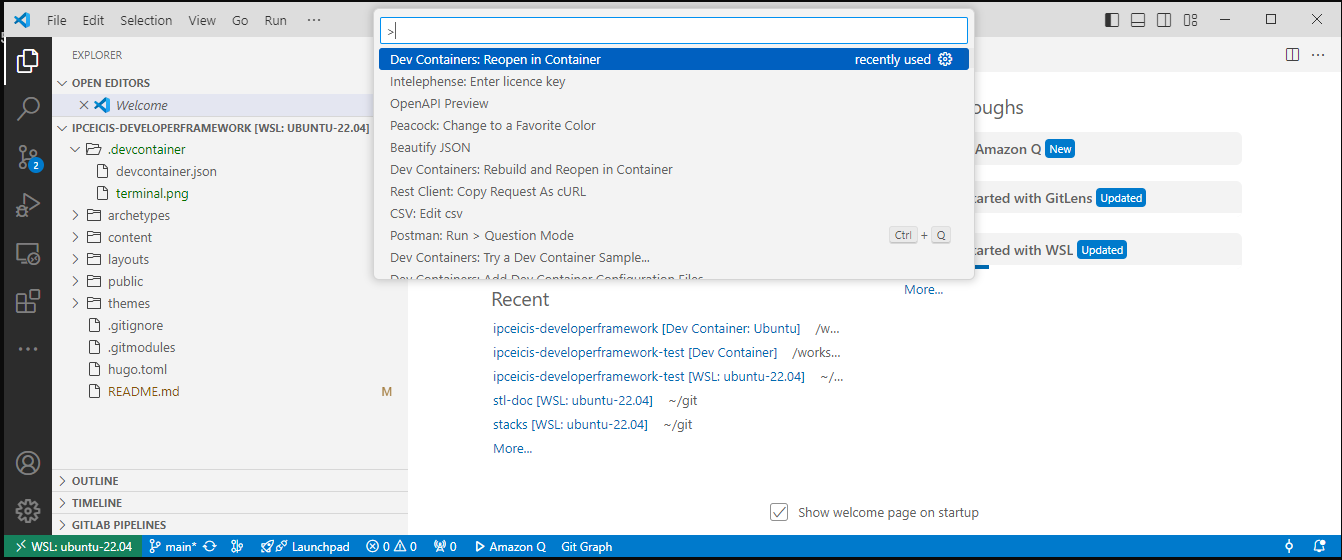
Steps 4/5 in Visual Studio Code
Reopen in Container
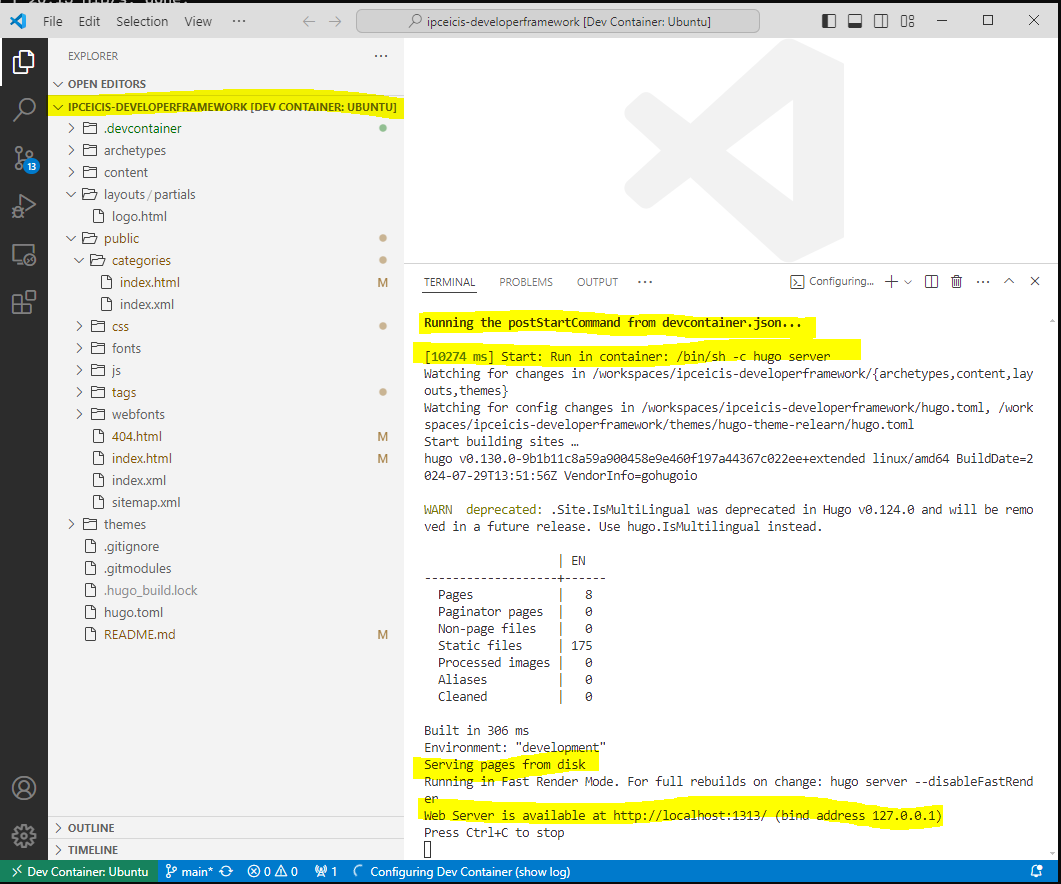
Hugo server is running and (typically) listens to localhost:1313
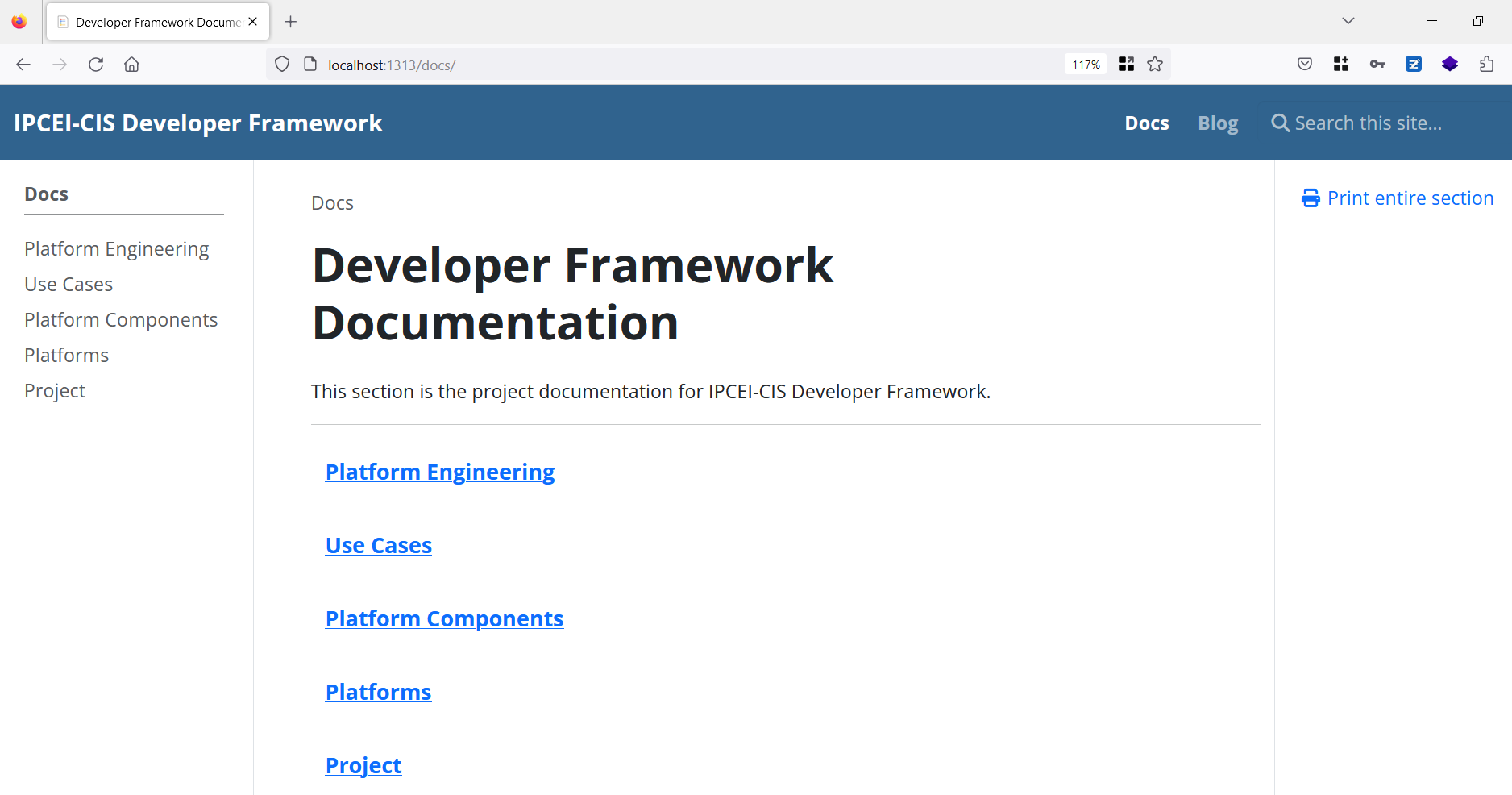
After some installation time you have:
Steps 6 in a web browser